Going digital · 13 min read · Updated:
How to digitalize your company: a step-by-step roadmap for small businesses
Digital transformation isn't buying a new program; it's moving the daily flow of your work into one place, in the right order. This article sets out the seven steps and what to watch for at each one.
In short
- The right order for small business digital transformation: website and domain, domain email, e-Fatura and pre-accounting, collections, bookings or an online store, SEO, and finally reports and team permissions.
- In Heyşirket every company has a single company panel (yourname.heysirket.com/admin); website, email, pre-accounting, bookings, store and SEO are modules of that panel.
- The Başlangıç (Starter) plan is free and includes a website, a subdomain, 1 custom domain and 1 email address; pre-accounting and e-Fatura are included in the Profesyonel, Premium and Özel plans.
- Taxpayers with gross sales revenue of 3 million TL or more must switch to e-Fatura from 1 July of the following year.
- KOSGEB support programmes, their conditions and amounts change from call to call; kosgeb.gov.tr is the source to rely on for current information.
In most small businesses, work runs in five different places. The customer messages on Instagram, the quote goes out on WhatsApp, the invoice is issued in another program, the payment shows up in the banking app, and who owes what lives in an Excel file. Each tool works on its own, but none of them sees the others.
Digitalizing a company means pulling that scatter together. The goal isn't to use more apps; it's to follow every step, from a customer finding you to money landing in your account, in one place and in one record.
In this article we suggest a seven-step order for small businesses. At each step you'll see what you gain, what to watch out for, and which plan and which menu covers that work in Heyşirket's single company panel.
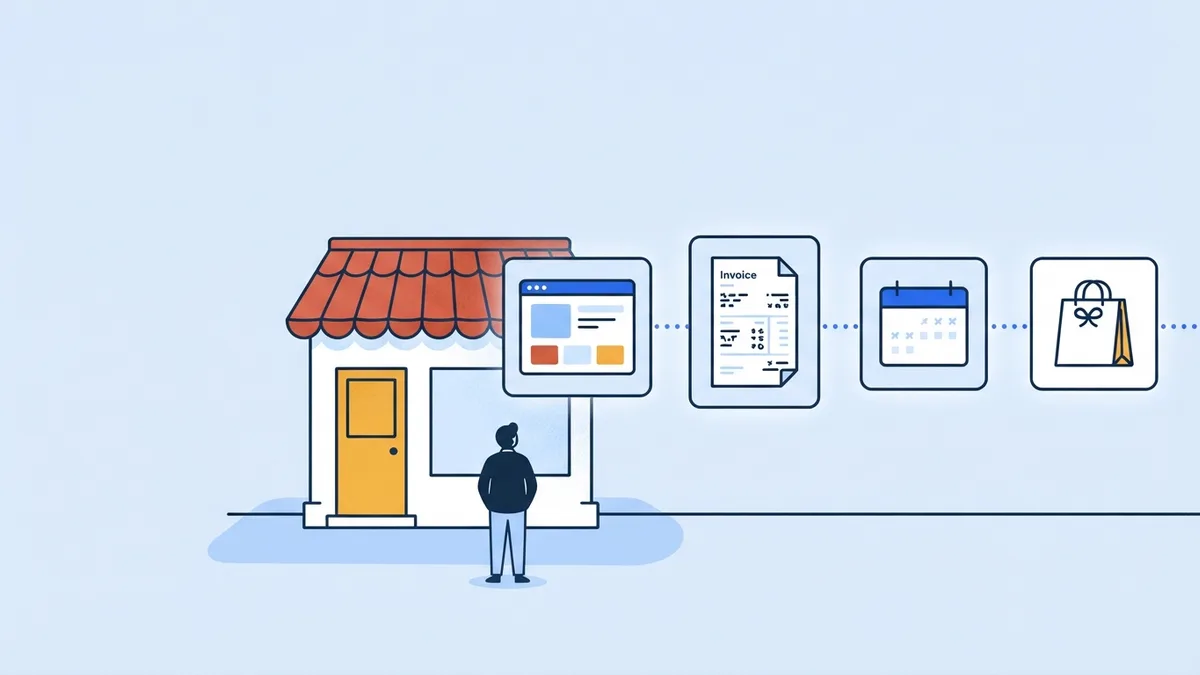
- Website — and domain
- Email — on your domain
- e-Fatura — and pre-accounting
- Collections — card and transfer
- Bookings / store — online sales
- SEO — Google visibility
- Reports and team — access and order
Part 1 · Definition What does digital transformation mean for a small business?
Small business digital transformation means moving the work of finding customers, selling, issuing documents, collecting payments and reporting out of paper, scattered files and people's memory, into a system that is recorded, accessible and connected.
The key word is “connected”. If an enquiry from your website can become a customer record, the customer record an invoice, the invoice a collection and the collection a report, the transformation has happened. If you do each step in a separate tool and carry data across by hand, you haven't moved the work online; you've only moved it onto a screen.
Part 2 · Order Where should you start going digital?
The logic of the order is simple: first you set up your identity (website, domain, email), then the legal obligations and the money (e-Fatura, pre-accounting, collections), and last of all growth (bookings, store, SEO, reports). Each step prepares the data for the next. No domain means no business email, no customer record means no invoice, and no invoice means no collection tracking.
| Step | What it gives you | In the company panel | Plan |
|---|---|---|---|
| Website and domain | You're findable on Google and look trustworthy | Design › Customize, Settings › Domains | Başlangıç (free) |
| Domain email | You write from info@yourcompany.com | Başlangıç 1 address, Profesyonel 5, Premium unlimited | |
| e-Fatura and pre-accounting | Documents, customer accounts, expenses and cash in one place | Finance | Profesyonel, Premium, Özel |
| Collections | Card payment links, statement matching | Finance › Collections | Profesyonel, Premium, Özel |
| Bookings or store | You take enquiries and orders around the clock | Appointments, Store | Profesyonel; full appointment tracking system in Premium |
| SEO and Google visibility | You climb in search results | SEO | Basic SEO in Başlangıç; SEO tools in Profesyonel |
| Reports and team | You see who did what and what you earned | Reports, Finance reports, team settings | Depends on your plan |
You'll find the full differences between plans in the website plans article and on the Pricing page. Prices include VAT: Başlangıç is free with no time limit, Profesyonel is 699,99 TL/month or 6.999,90 TL/year, Premium is 14.999 TL/month or 149.990 TL/year, and the Özel (Custom) plan is quoted individually.
Part 3 · Identity Step 1: website and domain
Customers search for you on Google first. If the page they find opens properly on a phone, says what you do in one sentence and shows them how to reach you, you've passed the first test. You don't need an agency or hosting for that.
In Heyşirket you build the site yourself. It first goes live at yourname.heysirket.com; if you already own a domain you connect it from Settings › Domains, and the SSL certificate is set up automatically. One custom domain is free on the Başlangıç plan. The full setup is in how to build a free website, and the domain steps are in connecting your own domain.
Part 4 · Communication Step 2: email on your domain
Sending a quote from a personal email address lowers trust, especially with corporate customers. An address on your own domain, such as info@yourcompany.com, looks professional and keeps correspondence inside the company when staff change.
In the Email section of the company panel you create addresses on your domain; incoming and outgoing mail stays in the panel, and the emails you send go out in your site's design. The Başlangıç plan has 1 address, Profesyonel has 5, and Premium and Özel have no limit. Opening separate addresses for bookings, orders or quotes (bookings@, orders@) makes it easier to split the work.
Part 5 · Documents Step 3: e-Fatura and pre-accounting
This is the legal side of going digital. The paper invoice era is effectively over in Türkiye; today the question isn't “should I switch to electronic invoices?” but “which electronic document do I issue to which customer?”. The rule: if the buyer is registered in the e-Fatura system you issue an e-Fatura (Turkish e-invoice), otherwise an e-Arşiv invoice. Details are in the difference between e-Fatura and e-Arşiv.
e-Fatura alone isn't enough; behind the invoice there needs to be a customer card, a due date, collections, expenses and cash records. That's called pre-accounting. We explained what it is and how the work splits with your accountant in what is pre-accounting, and you can use the how to choose pre-accounting software checklist to pick the right program.
In Heyşirket, pre-accounting isn't a separate subscription; it's included in the Profesyonel, Premium and Özel plans. In the panel you switch pre-accounting on from Features and fill in the short setup window; then Invoices, Customers and accounts, Collections, Expenses and Cash and banks appear in the Finance menu. To issue e-Faturas you connect an e-document provider; credits are paid to the provider and are separate from your plan. The connection steps are in the connecting your e-document provider guide.
Part 6 · Money Step 4: collections and online payment
Issuing the invoice is half the sale; the other half is the money arriving. Digital collections have two sides: making it easy for the customer to pay, and having incoming money posted to the right invoice automatically.
- Card payment link: You connect your own iyzico account from Settings › Collections (card payment). A Pay by card button is added to the invoice email and the payment reminder, the customer pays with 3-D Secure, and the collection is posted to the invoice automatically. Details are in what is a payment link.
- Transfer matching: You upload your bank's Excel or CSV statement; incoming transfers are matched with open invoices by the tax number, company name, invoice number and amount in the description.
- Reminder rhythm: You see invoices that are falling due or overdue on the home page and send the customer a payment reminder email. To set up the rhythm, see speeding up receivables collection.
A live connection to the bank (open banking) and invoice collection through PayTR and Param aren't available yet; they're on the roadmap. Today you match transfers by uploading the bank statement.
Part 7 · Sales channel Step 5: online bookings or a store
If you sell a service, you take bookings from your website instead of keeping customers waiting on the phone; if you sell products, you open a store with a basket and card payment. Both are in the Profesyonel plan.
| Module | What's included | Plan |
|---|---|---|
| Online bookings | A booking form on the site and a calendar view in the panel | Profesyonel |
| Appointment tracking system | Calendar with a column per practitioner, client card, waiting list, recurring appointments, reminders and confirmation by WhatsApp | Premium |
| Store | Products, orders, card payment, bank transfer, cash on delivery, shipping; Trendyol, Hepsiburada, N11 and Amazon connections | Profesyonel |
Booking requests land in the Appointments menu and orders in the Store menu. If pre-accounting is on, a draft invoice is prepared from the order, so the sale and the document stay in the same record. We covered store setup in starting e-commerce. Step-by-step help in the panel: Help › Online booking requests.
Part 8 · Growth Step 6: SEO and Google visibility
The site is live and the work is recorded. Now it's time for more people to find you. The first job is to measure how Google sees your site: in the panel you connect Google Search Console and Google Analytics 4 from SEO › Connections, and the SEO centre and analytics screens fill with that data. How to do it is in connecting Search Console and Analytics.
If you serve local customers, your name, address and phone number need to be exactly the same on your site, in your Google Business Profile and in structured data. The Local SEO screen in the Profesyonel plan checks this consistency against your site's own data and gives you a checklist. You manage your Google Business Profile yourself at business.google.com; the panel doesn't post to that profile automatically. On the Premium plan, our team carries out the local SEO work.
Part 9 · Order Step 7: reports, team and accountant
The last step is to open the system you've built to your team and draw decisions from it. Not everyone needs to see everything: the sales team sees invoices, the warehouse lead sees stock, your accountant sees the financial records. Pre-accounting has Owner, Manager, Accountant, Finance, Sales, Stock and Viewer roles, and you protect your account with two-step verification.
Instead of sending documents to your accountant one by one, you can switch on the monthly document package in the My accountant setting; the previous month's sales invoices, incoming invoices and expenses go to them automatically on the day you choose. On the reporting side, VAT, cash flow, income and expense, and sales reports are ready to use. For team access see team permissions and data security, and for reading reports see how to read financial reports.
A 90-day digitalization plan
- Week 1: the site is live, the domain is connected, contact details are correct.
- Week 2: domain email is set up, forwarding from the old address is in place.
- Month 1: the customer list and opening balances are imported, the e-document provider is connected, the first e-Fatura is issued.
- Month 2: the card payment link is on, the bank statement is matched every week.
- Month 2: the booking form or store is live.
- Month 3: Search Console and Analytics are connected, the first SEO tasks are closed.
- Month 3: the team is invited with roles, the monthly document package goes to the accountant.
Part 10 · Support Is there a digital transformation support programme for small businesses?
KOSGEB (Türkiye's small and medium enterprise development agency) periodically opens support programmes for SME digitalization, technology investment and productivity. The scope, eligibility, support rates and upper limits of these programmes change from call to call, so we don't quote amounts here.
The right approach: check the current support programmes and announcements at kosgeb.gov.tr, make sure your SME declaration is up to date, and before applying clarify with your accountant which expenses fall within scope. To compare it with loans, KGF guarantees and other financing routes, see SME financing options.
Where should I start digitalizing my company?
Start with a website and domain, then set up email on your domain. After that, set up e-Fatura and pre-accounting, collections, bookings or a store, SEO, and finally reports and team permissions. Each step prepares the data for the next.
Do I need several programs for digital transformation?
No. In Heyşirket every company has a single company panel; website, domain email, pre-accounting and e-Fatura, online bookings, store and SEO are modules of that panel and are used with one login.
Do I pay separately for pre-accounting in Heyşirket?
No. Pre-accounting is included in Profesyonel (699,99 TL/month or 6.999,90 TL/year), Premium and Özel. Only the e-document provider's credit fee for e-Fatura and e-Arşiv is separate from the plan. The free Başlangıç plan doesn't include pre-accounting.
How much is KOSGEB's digital transformation support?
Support amounts, rates and conditions vary by programme and period. Check kosgeb.gov.tr for current calls and amounts, and clarify the scope with your accountant before applying.
Does Heyşirket update my Google Business Profile automatically?
No. You manage your Google Business Profile yourself at business.google.com. The panel checks the consistency of the name, address and phone details on your site and offers a local SEO checklist; Search Console and Google Analytics 4 connect directly.
Take the first step today Build your site for free, connect your domain and first email address; switch on pre-accounting and the other modules from the same panel when you're ready. Start for free
Author: Heyşirket Editorial Team